Radio Button in HTML form
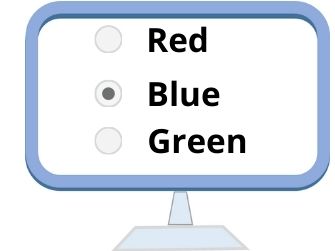 Radio buttons are mainly used when the user has to select only one among a group of options. Radio button has two states and can toggle between them.
 Note:
Several radio buttons can be grouped together so that only one radio button can be selected at any given time. We can group radio buttons by giving same name for all the radiobuttons.A single radio button can be created as :
<input type="radio" name="groupname" value="value1" checked>
HTML form radio buttons input types to collect user selected options with attributes
Attributes of Radio Button Field:
| Attribute | Description |
|---|---|
| Name | Specifies the group name of the radio button. One group of radio button will have same name through which it can be referenced. |
| value | Value of the radio button. Each radio button will have different values in a group. |
| Checked | Radio button will be selected. In a group of buttons one can be selected. |
| Align | Specifies the alignment of the radio buttons. |
Example of Radio button:
Gender: <input type="radio" name="grpGender" value="Male" Checked>Male
<input type="radio" name="grpGender" value="Female">FemaleGender: Male Female
Radio button or Checkbox
In a web form if we can select one of the several options then we will go for Radio buttons. If the user can select more than one options then we will go for checkbox.Example :
How many languages you know ? ( Use checkbox here as user can slect more than one choice )Your gender ( Use radio button here as user can select one choice )
HTML Form Drop down Listbox Checkbox in a form
This article is written by plus2net.com team.
