SQL PHP HTML JavaScript articles and free code
 

HTML Title and page structure in head tags

HTML TITLE tag and page structure 
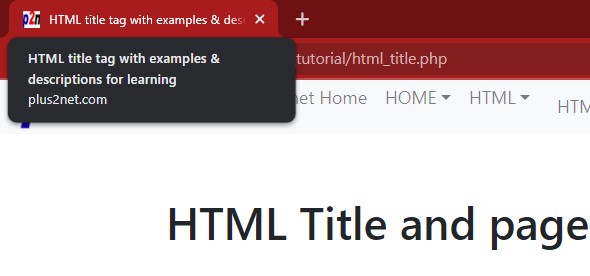
Title tag is the main tag used inside head tags of the html page. Title tag is not visible on the browser window ( display area ) but is visible at the top of the browser. Take a look at the top most part of the screen you are viewing. You will see it reads  

HTML title with codes and tags descriptions for easy help and learning ,


this is the title tag of this page. You have to place the title inside the title tag like this


<title>HTML title with codes and tags descriptions for easy help and learning</title>   


This is like any other html tags and have one starting and ending tag. The maximum length should be ( around ) 75 character length. The title tag is displayed at the top of the search result of the site in many search engines including google. Search engines like google give high importance to this tag so the highest targeted keyword of the page is to be used in the title tag of the page. For example if the targeted keyword for search engine ranking is BUDGET TRAVEL then the title should contain the word BUDGET TRAVEL in a human readable form. Keeping other two or three keywords in the title tag will also help.

Read more details on Optimizing title tag for search engine friendly web page
Discuss this tutorial at forum

List of HTML Tutorials


Subscribe
Submit your email address and receive article and product notifications. Your email is safe with us.

Scripts
PHP
JavaScript
List of HTML Tutorial
HTML Tags
Color Chart
HTML Calendar
Tags on web page
Web Design
Subscribe
Submit your email address and receive article and product notifications. Your email is safe with us.