PHP PDO Fetch row from Table
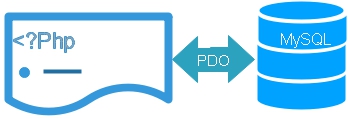 WE often need to collect one record from the table to display or to use in our script. To select one record we will use Pdo -> fetch to get next row from a result set. Here are some examples on how to use fetch on different conditions.
We kept our Pdo database connection details in config.php file and called it here.
Without binding parameters
require "config.php"; // Database connection details.
$query="SELECT name FROM student WHERE id=5";
$row=$dbo->query($query);
$row=$row->fetch();
echo $row['name'];<?Php
error_reporting(E_ERROR | E_PARSE | E_CORE_ERROR);
require "config.php"; // Database connection details.
//////// End of Database connection /////////
$id='3'; // Collecting one record with id=3
$count=$dbo->prepare("select * from pdo_admin where id=:id");
$count->bindParam(":id",$id,PDO::PARAM_INT,1);
if($count->execute()){
echo " Success <br>";
$row = $count->fetch(PDO::FETCH_OBJ);
print_r($row);
echo "<hr><br>Admin = $row->userid";
echo "<br> pw =$row->password<br>";
echo "<hr>";
}else{
//$row=$count->fetchAll();
print_r($dbo->errorInfo());
}
?>
( [id] => 3 [userid] => admin3 [password] => test3 [name] => Admin [status] => T )


Admin = admin3

pw =test3
WE have used FETCH_OBJ parameter get property name corresponding to column name. Same way we will try other parameters In your downloaded script ( file name : pdo-fetch.php ) the area to change the part of the code is marked. You can replace them with these lines to check the output
FETCH_NUM
We have to use column number starting from 0 in place of column name , omitted other lines and listed here the changes in above code.$row = $count->fetch(PDO::FETCH_NUM);
print_r($row);
echo "<hr>";
echo "<br>Admin id = $row[0]";
echo "<br>userid = $row[1]";
echo "<br>password=$row[2]<br>";
Array ( [0] => 3 [1] => admin3 [2] => test3 [3] => Admin [4] => T )

Admin id = 3

userid = admin3

password=test3
FETCH_ASSOC
Returned array will have column name ( field name ) as index. Here is the code
$row = $count->fetch(PDO::FETCH_ASSOC);
print_r($row);
echo "<hr>";
echo "<br>Admin id = $row[id]";
echo "<br>userid = $row[userid]";
echo "<br>password=$row[password]<br>";
Array ( [id] => 3 [userid] => admin3 [password] => test3 [name] => Admin [status] => T )

Admin id = 3

userid = admin3

password=test3
FETCH_BOTH
Returns both column name ( field name ) and number index ( starting from 0 ) in the array.$row = $count->fetch(PDO::FETCH_BOTH);
print_r($row);
echo "<hr>";
echo "<br>Admin id = $row[0]";
echo "<br>userid = $row[userid]";
echo "<br>password=$row[2]<br>";
Array ( [id] => 3 [0] => 3 [userid] => admin3 [1] => admin3 [password] => test3 [2] => test3 [name] => Admin [3] => Admin [status] => T [4] => T )

Admin id = 3

userid = admin3

password=test3
FETCH_LAZY
This returns both FETCH_OBJ and FETCH_BOTH, code is here$row = $count->fetch(PDO::FETCH_LAZY);
print_r($row);
echo "<hr>";
echo "<br>Admin id = $row[0]";
echo "<br>userid = $row[userid]";
echo "<br>password=$row[2]<br>";
PDO References PDO multiple records collecting from database
Subscribe to our YouTube Channel here
This article is written by plus2net.com team.
https://www.plus2net.com

| Plusco | 03-10-2014 |
| These are great examples! Much appreciated. | |
| sachin baghel | 13-11-2018 |
| Brilliant explaination. | |
