Form & component validation using PHP
Watch video
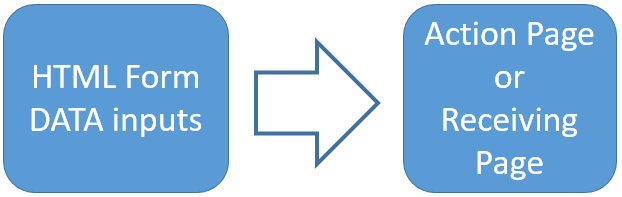
HTML FORM basics with input fields submit button action page and target attributes
Copy Source code
To handle various display and design issues we have to use front end tool like HTML or JavaScript. Our server side script PHP is used to handle the data as entered by users. We also need PHP to validate the data and post back the error messages if validation fails.
We will discuss some basic issues relating to handling of form components and some sample codes here.
Check Box
Checkbox How to use and handle checkbox data.
Checkbox data How to handle the post back data for a check box if validation fails?
Checkbox & database Retrieving and storing data of checkbox
Checkbox data How to handle the post back data for a check box if validation fails?
Checkbox & database Retrieving and storing data of checkbox
Validation and Checks of user entered data
How to retain form data Retaining the data in the form if it fails to submit
Date validation Validating user entered date value.
Sample codes to check data entered through Web forms
Email Validation Checking format of user entered email address
Email Validation using Ajax Using Ajax to validate email address
Checking for number only Returns falls if data is not a number
is_int Checks if data is an integer or not
alphanumeric characters Characters A to Z and numbers are only allowed.
Only alphabets Checking for Alphabets only
Date validation Validating user entered date value.
Sample codes to check data entered through Web forms
Email Validation Checking format of user entered email address
Email Validation using Ajax Using Ajax to validate email address
Checking for number only Returns falls if data is not a number
is_int Checks if data is an integer or not
alphanumeric characters Characters A to Z and numbers are only allowed.
Only alphabets Checking for Alphabets only
Drop down list box in a form
Drop down listbox Retaining user selection of a drop down list box
Multiple selection Handling multiple selection of drop down list box
Multiple selection Handling multiple selection of drop down list box
sticky Form
Validate the user input and keep the input data inside the form while validaing and showing error message to user.Basics of Form in PHP
How to collect the data from a simple html form and display all the variables of the form.Text Box
Text box is the most commonly used form component. How to use text boxes and how to retain data if form validation fails? .Period button post back data holding
Radio buttons ( or period ) are used when user has to select one of the many options. Once the validation of form fails then how to retain the selected value of the user in the set of period buttons?Register_global setting
How to handle data if register_global is set to OFF at php.ini file. In PHP5 and above register_global is by default set to OFFSubscribe to our YouTube Channel here
This article is written by plus2net.com team.
https://www.plus2net.com

23-07-2020 | |
| Excellent post. Nice work keep it up. Thanks for sharing the knowledge. | |
