Drop-Down list box
 Dropdown listbox is one of the most flexible object in HTML. It is similar to that of radio button i.e, only one item can be selected from a group of items but the only difference is Dropdown menu occupies less space on the for when compared to Radio button and people can view one item at a time.
By adding attribute multiple user can select multiple options.
HTML form drop down list box to give single or multiple options to user with attributes and examples
Dropdown listbox can be created like this :
<select name="colours">
<option value='blue'>Blue</option>
<option value='green'>Green</option>
</select>Attributes of Dropdown List:
| Attribute | Description |
|---|---|
| autofocus | The element is in focus (by default ) when the page loads. |
| disabled | The element is in disabled state for the user. |
| Name | This attribute specifies the name of the object through which it can be referenced. |
| size | Interger : Used to specify the number of visible items in the list. |
| Multiple | If given yes, then multiple choices can be made. |
Attributes of <option>..</option>
| Attribute | Description |
|---|---|
| value | Used to specify the value to be submitted if the form has been submitted. |
| selected | Default selection of the option |
Example:
 Favourite color:
<SELECT name="ddl">
<option value='blue'>Blue</option>
<option value='green'>Green</option>
<option value='red'>Red</option>
<option value='yellow'>Yelllow</option>
<option value='' selected>Select a Color </option>
<option value='white'>White</option>
</SELECT>Favourite Color:
In the code see how we have kept value equal to blank for the tag Select a colour. Now let us try one multiple selection dropdown list box.
Managing width of the select box
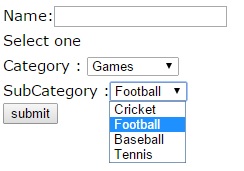 If we are changing the elements of the select box dynamically, then the width of the drop down select box will keep changing. It will get stretched or reduce based on the elements of the select box. This will not look nice so to give a fix width we have to use style sheet. By just adding width attribute we can't achieve the result in internet explorer and in other browsers except Netscape. Here is the code to manage the width of a select box.
<select name="ddl" width=300 STYLE="width: 350px">
<option value='blue'>Blue</option>
<option value='green'>Green</option>
<option value='red'>Red</option>
<option value='yellow'>Yelllow</option>
<option value='' selected>Select a Color </option>
<option value='white'>White</option>
</select>We can give choice to users to select more than one option by adding the attribute multiple. We can also specify the size to display number of options without expanding the pull down list. Here is the sample of listbox with multiple option.
Press and hold Ctrl Key and select more than one item from the list.
Here is the code of above.
<select name="ddl" size=4 multiple>
<option value='blue'>Blue</option>
<option value='green'>Green</option>
<option value='red'>Red</option>
<option value='yellow'>Yelllow</option>
<option value='' selected>Select a Color </option>
<option value='white'>White</option>
</select>OPTGROUP to group the options of Listbox
multiple selection options of list box are handled using PHP
HTML Form Textarea in form Checkbox in a form
This article is written by plus2net.com team.

| sultan | 30-09-2014 |
| i want to select multiple values from drop-down list without using jquery or javascript as well as without pressing 'ctrl' or 'shift' key... please help... thanx in advance...... | |
| AravindAK | 30-12-2016 |
| Have to select multiple values in drop-down and also pass the value to next page with selected values...How to do??? | |
| smo1234 | 19-02-2017 |
| As explained above you can use multiple selection dropdown to give user choice to select more than one choice. On submission of the form it will be available in next page ( defined by action of the form ) and you can collect the inputs as an array by using PHP. | |
| suma | 13-02-2018 |
| i want to select multiple values from drop-down list at a time two multiple value select pls send the code html,jquery | |