Checkbox in HTML form
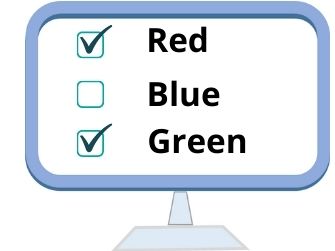 Checkboxes are objects of a HTML form which behaves like a toggle switch. i.e, a checkbox can be in one of the two states, either checked or unchecked.
 From a group of checkboxs user can select multiple options.
<input type="checkbox" name="name" value="any_value" checked>
HTML form Checkbox input types to collect user selected options with attributes
Attributes of Checkbox Field:
| Attribute | Description |
|---|---|
| Name | Specifies the name of the checkbox, through which it can be referenced. |
| value | Value of the checkbox . Each checkbox will have different values in a group. |
| Checked | Checkbox will be selected ( by default ) . In a group of buttons more than one can be selected. |
Value: Specifies the value of the checkbox. This value will be returned if the checkbox is checked.
Checked: If given, the checkbox will be checked by default else, it will not be checked. Don't add any single or double quote to this.
Example:
<input type="Checkbox" name="blue" value="yes" Checked>Blue
<input type="Checkbox" name="red" value="yes">Red
<input type="Checkbox" name="green" value="yes">GreenFavourite Color(s) : Blue Red Green
We can keep more than one button selected or checked.
Radio button and Checkbox
In both radio button and checkboxes user has to select from the available options or choices.In case or radio buttons, one among the available choices can be selected. In case of checkbox , more than one option can be selected.
HTML Form Drop down Listbox Radio buttons
This article is written by plus2net.com team.
