Opening a Child Window with JavaScript window.open()
A parent page can open a secondary browsing context with window.open() and keep the returned window reference. The browser may display it as a popup window or a tab. Popup blockers commonly allow it only when opening is triggered directly by a user action such as a click.
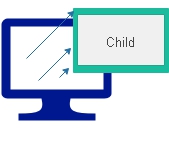
Open a child window Top ↑
The original page provides both a link and a button demo. Both facilities are retained below.
Click here to open the child window
Complete link source
<a href="window-child.html" id="openChildLink">Click here to open the child window</a>
<script>
document.getElementById("openChildLink").addEventListener("click", (event) => {
  event.preventDefault();
  window.open("window-child.html", "Ratting", "width=550,height=170,left=150,top=200,toolbar=0,status=0");
});
</script>
Complete button source
<button type="button" id="openChildButton">Open Window</button>
<script>
document.getElementById("openChildButton").addEventListener("click", () => {
  window.open("window-child.html", "Ratting", "width=670,height=370,left=150,top=200,toolbar=0,status=0");
});
</script>
Window size, position and browser features Top ↑
The windowFeatures string can request dimensions and a position. Browsers may adjust or ignore requested chrome such as toolbars/status UI, and may correct dimensions or positions so the popup remains usable on screen.
const popupOptions = "width=550,height=370,left=150,top=200,toolbar=0,status=0";
const childWindow = window.open("window-child.html", "Ratting", popupOptions);
if (!childWindow) {
  console.log("Popup blocked. Allow popups for this site and try again.");
}Scrollbar on child window Top ↑
The original scrollbar demo is retained. Modern browsers decide much of their own window UI, but scrollbars=1 can still be included in the requested features.
Click here to open the child window
Complete source
<a href="window-child.html" id="openScrollableChild">Click here to open the child window</a>
<script>
document.getElementById("openScrollableChild").addEventListener("click", (event) => {
  event.preventDefault();
  window.open("window-child.html", "Ratting", "width=570,height=370,left=150,top=200,status=0,scrollbars=1");
});
</script>Pass data between parent and child windows and refresh part of the parent window after child data changes.
Same-origin access and window.opener Top ↑
A child window can directly script its opener only when browser security rules allow it. Same-origin pages can access each other normally. For cross-origin pages, access is restricted; use postMessage() when cross-origin communication is required. Also note that opening untrusted destinations should normally sever opener access with noopener.
Questions Top ↑
- How can I open a new child window in JavaScript?
- What methods are available to open a child window?
- Can I customize its size and position?
- How can I pass data between parent and child windows?
- Can browser features be requested or disabled?
- What security considerations apply?
- How can I detect if the child window was closed?
- How can parent and child react to each other?
- Can I open multiple child windows?
- What are good practices for managing child windows?
Window object Reference Window close Passing data from Child window to parent window Passing data from Parent to Child Window

Subhendu Mohapatra
Author & Instructor at plus2net
I write and maintain practical tutorials on Python, PHP, SQL, JavaScript, HTML, jQuery, and web development at plus2net. The tutorials focus on clear explanations, working examples, and code that readers can test and adapt while learning.


Subscribe to our YouTube Channel here

| Thangavel | 20-08-2012 |
| thank you:friend:)how to pass the value from child window to parent window | |
| Peter | 25-08-2012 |
| Thank you! This helped me so much | |
| bhushan wagh | 28-05-2014 |
| Thanks a lot,it's really cool exam. | |
| Wenceslau | 22-07-2014 |
| Thank you. It helped me a lot. | |
| Jessilyn | 26-09-2014 |
| You just saved me hours of time. | |
| Thomas | 06-04-2015 |
| How to open sub window in the same page without new browser tag | |
| smo | 06-04-2015 |
| You can hide or display a layer by managing through css | |
16-06-2023 | |
| Can I do this with desktop app? | |
16-06-2023 | |
| How ca we open a desktop app in a child window of another desktop app? | |
22-07-2023 | |
| FRom the desktop add you can click the link with URL to open browser with the specified url. It depends on the app you are using. | |